
Using the Economic Calendar Feature
Learn how FX Replay integrates news events into your backtesting sessions through our Economic Calendar feature—watch this tutorial video to master it quickly!
Economic Calendar
FX Replay incorporates news events into your backtesting. In the guide below, you’ll see how to properly set up this feature so you can use it in your backtesting sessions.
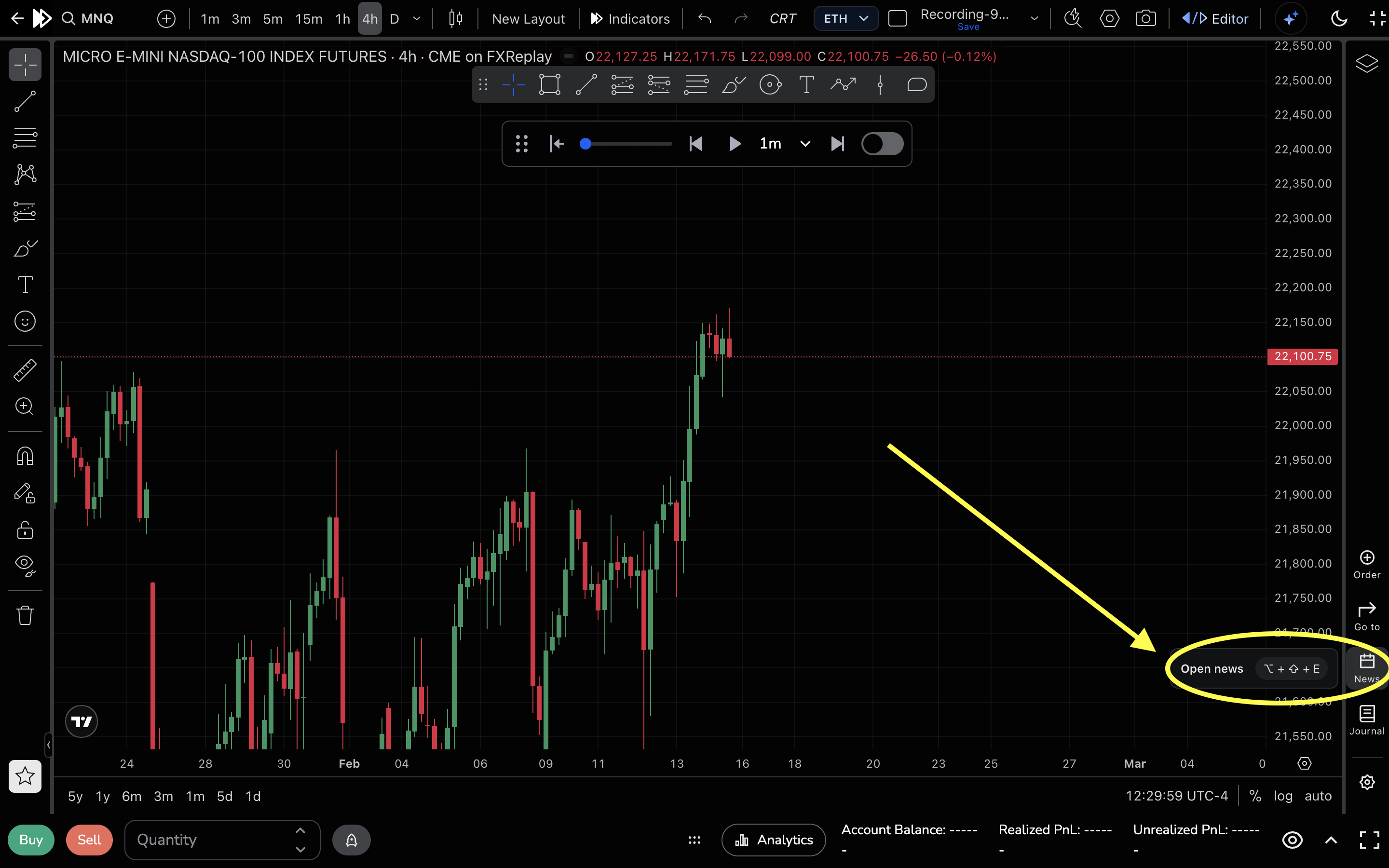
1- Once you are in your backtesting session, you will need to click on the "News" icon in the bottom right corner.
2- After clicking on the News icon, you’ll be able to apply filters to the economic news events you want to display on your chart.
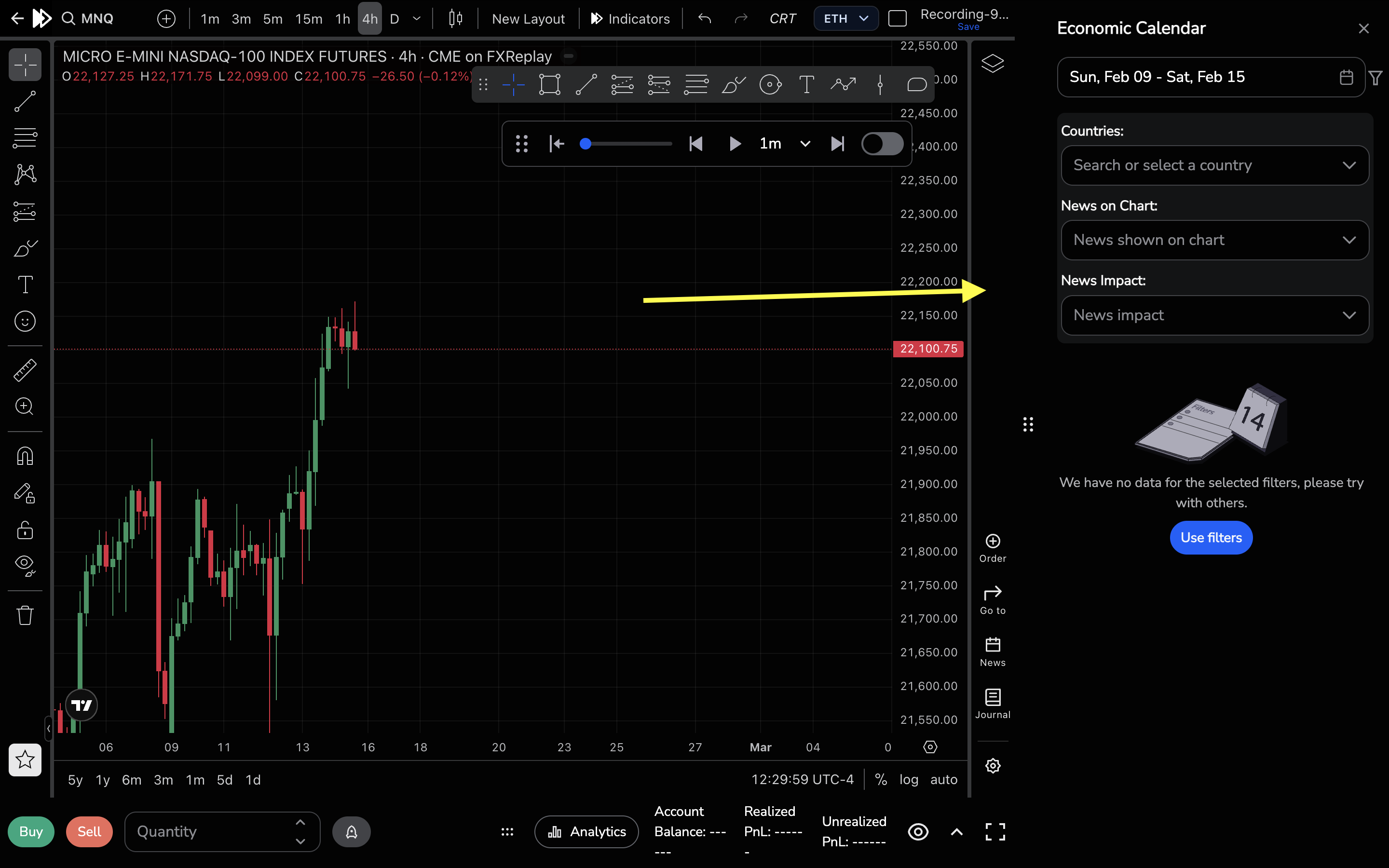
3- In this section, you can select the date range of the news you want to view.

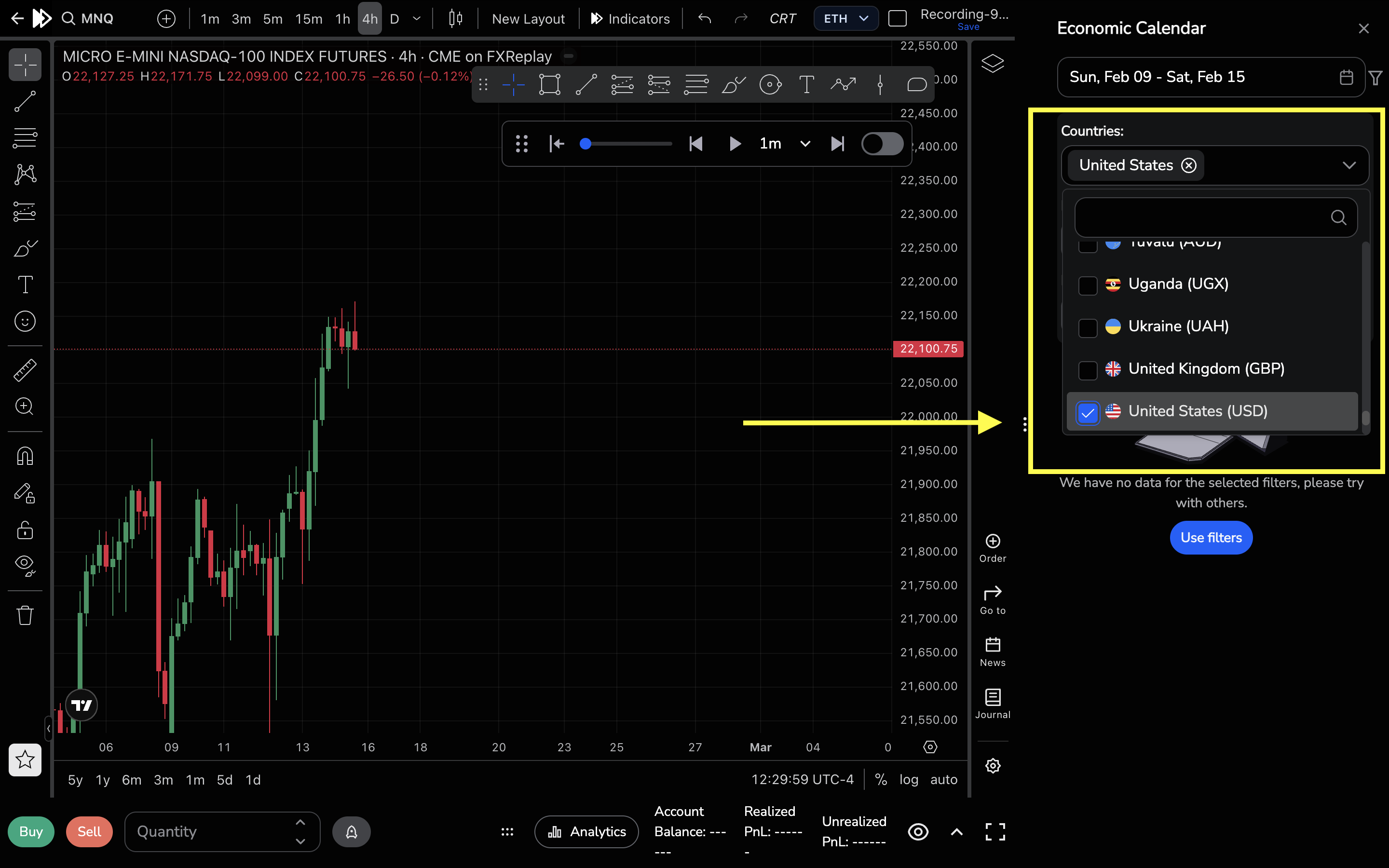
4- Here, you can select the countries whose economic events you want to display on your chart.
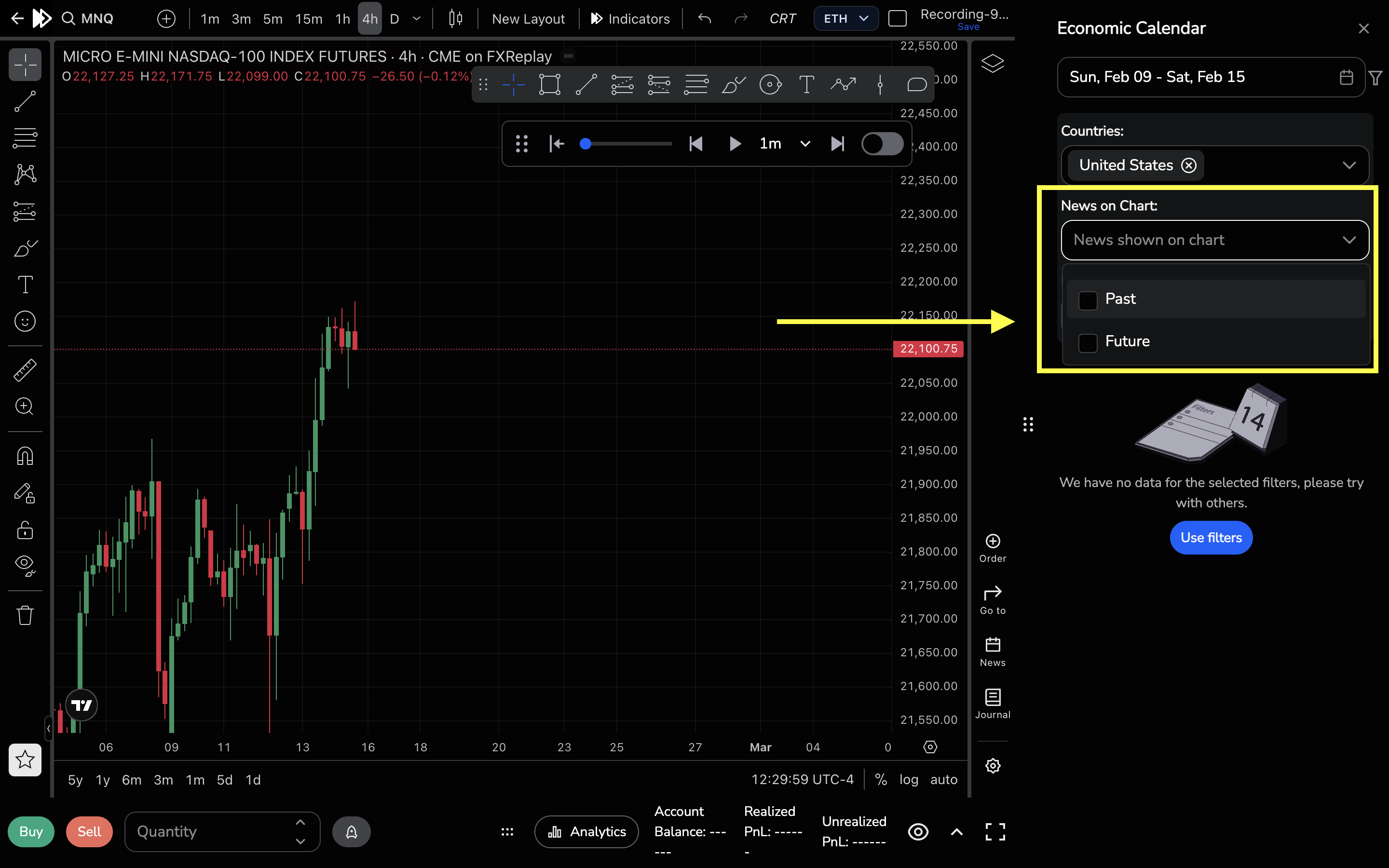
5- Here, you can choose to view past news events or upcoming ones by selecting "Past" or "Future."
6- In this section, you can choose the impact level of the news you want to see: low, medium, or high

Lastly, based on your selected settings, you’ll be able to see the economic events you want displayed on your chart.

Related articles
Keep exploring this topic.